자율주행
OpenCV 차선 인식 주요 기능 정리
HSV, Grayscale, Canny, ROI, Hough Transform, Gaussian Blur를 중심으로 차선 인식에 자주 쓰이는 OpenCV 기능을 정리했습니다.
권민재
개요
OpenCV의 기능을 확인하고 다양한 프로젝트에서 어떠한 차선인식 방법이 사용되는지,
어떠한 방법으로 자율주행을 구현하는 것이 적합한지에 관해 알아보겠습니다.
주요 기능
HSV 색상/채도/명도 방식 변환
Grayscale Conversion 흑백 이미지 변환
Canny Edge Detection 경계선 검출
Region of Interest 관심영역 지정
Hough Transformation 직선검출
Gaussian Blur 노이즈제거
각 주요기능에 대해 하나씩 알아보도록 하겠습니다.
1. HSV 색상/채도/명도 방식 변환
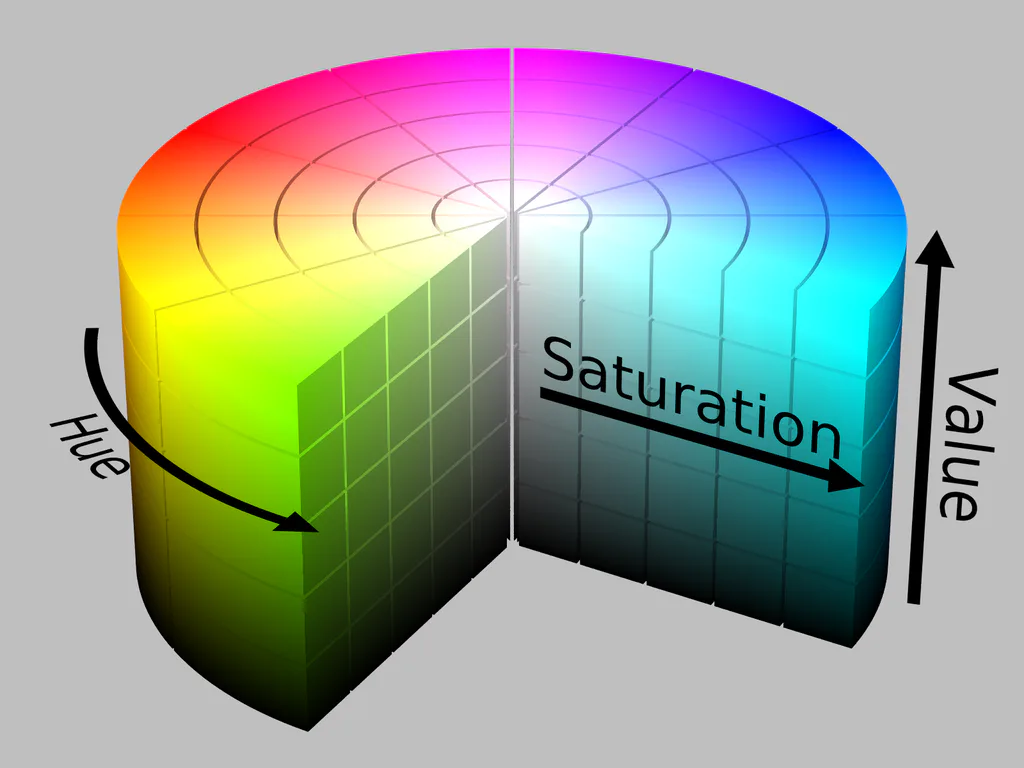
HSV는 색상/채도/명도로 색인식을 하는 방식입니다. 보통 RGB방식을 잘 아실텐데요, RGB방식은 Red, Green, Blue 3색으로 색상의 색을 인식합니다. 이러한 방법 중 HSV를 사용하는 이유는 첫째, 조명변화에 둔감합니다. RGB방식의 경우 조명이 변화하면 세가지의 값들이 모두 흔들리기 시작합니다. 하지만 HSV는 밝기(V)와 색상(H)을 분리해두기때문에 같은색이여도 더 안정적인 출력이 가능합니다. 실제로 코드를 제작하여 테스트를 해보면서 확인해본결과, RGB 방식에서 흰색에 그림자가 드리워지면 흰색으로 인식을 못하는 반면, HSV는 흰색으로 잘 인식하는것을 알 수 있습니다.
2. Grayscale Conversion 흑백 이미지 변환
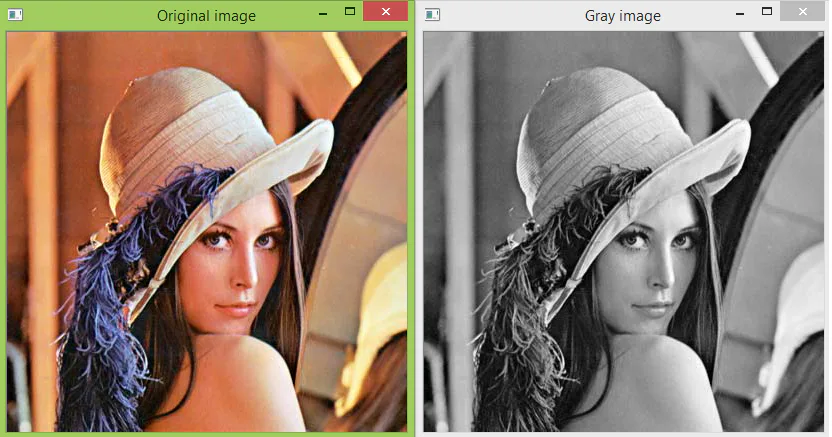
Graysacle 변환은 RGB 방식에서 사용가능한 변환방법으로, RGB 3가지로 변환된 값을 흑백이미지로 바꾸는 방법입니다. 이렇게 흑백으로 변환하는 이유는 연산처리를 빠르게 하여 주행라인을 찾아내는 속도를 빠르게 하기 위해 사용하는 경우가 많습니다. HSV에서는 따로 처리를 더 거칠수록 느려지기떄문에 기본 HSV만 사용합니다.
3. Canny Edge Detection 경계선 검출
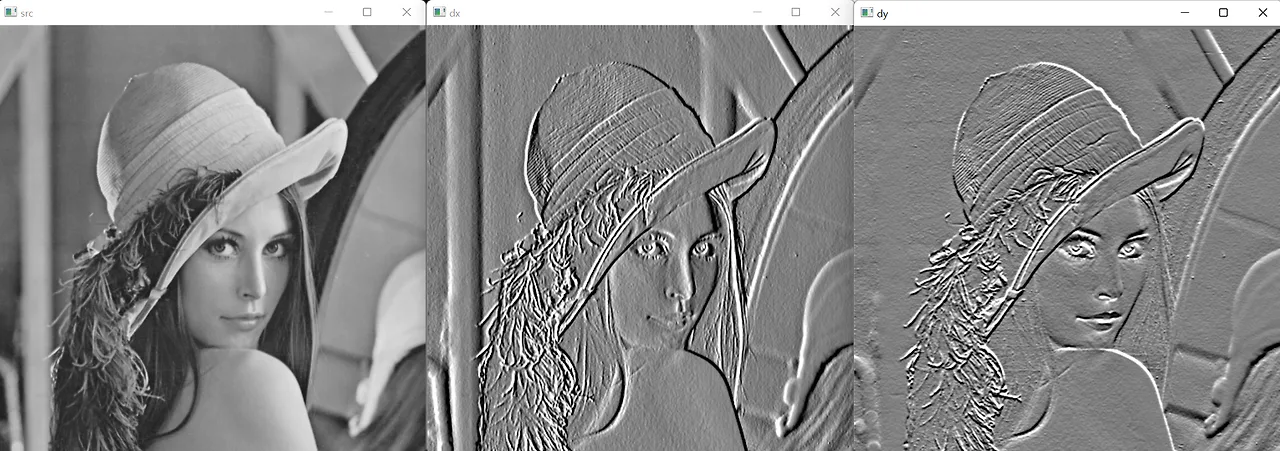
Canny Edge Deyection은 그림의 경계선을 검출해내는 기능입니다. 이렇게 경계면을 찾는 원리는 급격하게 색이 변화하는 부분을 검출해내어 그림의 경계면만 검출 해낼 수 있습니다. 마찬가지로 연산처리속도가 좋아진다는 장점이 있습니다.
4. Region of Interest 관심영역 지정
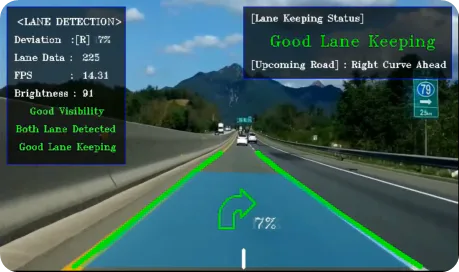
Region of Interest, ROI라고도 하는 관심영역 지정은 특정 부분만을 지정하여 연산범위에 넣는 기능입니다. 사실 자율주행에서 연산속도가 가장중요하지않을까 싶습니다. 따라서 해당 기능도 원하는 특정 부분, 보통 중앙하단을 ROI로 지정하여 해당 부분의 차선이나 어디로 차선이 꺾이는지에 대해 검출하고, 전체를 영역을 지정하는 것보다더 빠르게 검출해낼 수 있다는 장점이 있습니다.
5. Hough Transformation 직선검출
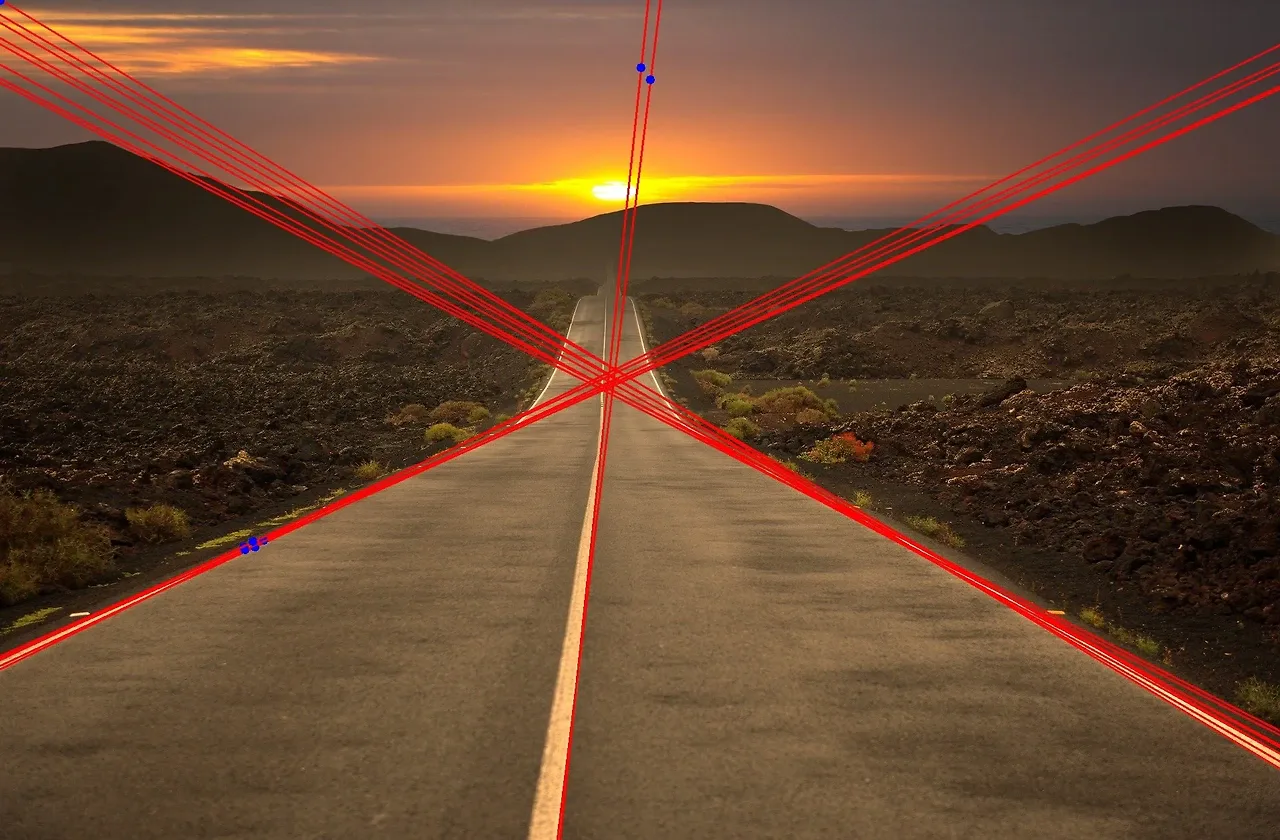
허프변환이라고 하는 이 기능은, 이미지에서 직선을 검출해내는 기능입니다. 요 기능을 사용하는 이유는 차선이 일직선인가, 주변 구조물의 파악, 차량의 현재 방향등을 확인하기 위해 사용합니다.
6. Gaussian Blur 노이즈제거
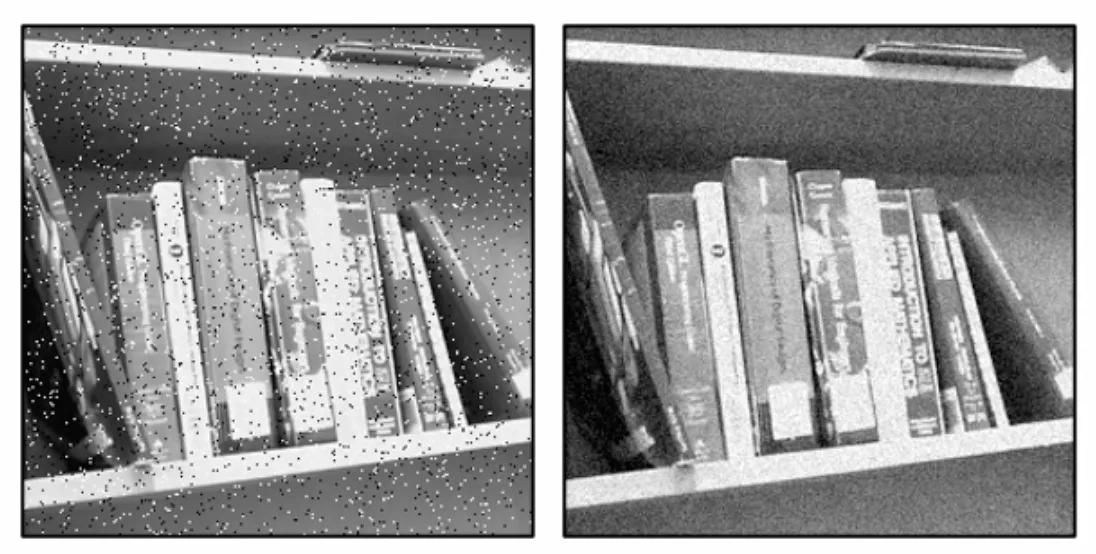
가우시안 블러는 이미지에 환경적이유나 카메라 스펙에 의해 노이즈가 발생하게 되는데 이를 먼저 말한 케니 엣지 디텍션, 경계면을 검출하는 과정에서 일일히 다 점으로 인식을하기 때문에! 연산이 또 느려지거나 오류를 일으킬 수 있기때문에 노이즈를 제거하기 위한 기능입니다.
Summary of Key Features of OpenCV Lane Detection
I have compiled a list of OpenCV functions commonly used for lane detection, focusing on HSV, Grayscale, Canny, ROI, Hough Transform, and Gaussian Blur.
Overview
We will explore OpenCV’s capabilities and examine which lane detection methods are used in various projects,
as well as determine the most suitable approach for implementing autonomous driving.
Key Features
HSV Color/Saturation/Luminance Conversion
Grayscale Conversion
Canny Edge Detection
Region of Interest (ROI) Definition
Hough Transformation - Line Detection
Gaussian Blur - Noise Reduction
Let’s take a look at each of these key features one by one.
1. HSV Color/Saturation/Brightness Conversion
HSV is a method of color recognition based on hue, saturation, and value. You are likely familiar with the RGB method, which recognizes color using the three primary colors: Red, Green, and Blue. The reason we use HSV over RGB is, first, that it is less sensitive to changes in lighting. With the RGB method, all three values begin to fluctuate when lighting changes. However, since HSV separates brightness (V) and hue (H), it can produce more stable results even for the same color. In fact, when I tested this by writing code, I found that while the RGB method fails to recognize white when a shadow is cast over it, HSV recognizes it as white without issue.
2. Grayscale Conversion
Grayscale conversion is a method available in the RGB system that converts values represented by the three RGB components into a grayscale image. This conversion is often used to speed up computational processing and thereby accelerate the detection of driving lines. In the HSV system, additional processing tends to slow things down, so we use only the basic HSV values.
3. Canny Edge Detection
Canny Edge Detection is a function that detects edges in an image. The principle behind finding these edges involves detecting areas where color changes abruptly, allowing only the image edges to be detected. Similarly, this method has the advantage of improving computational processing speed.
4. Region of Interest (ROI)
Region of Interest (ROI) designation is a function that selects only specific areas to include in the processing scope. In fact, processing speed is arguably the most critical factor in autonomous driving. Therefore, this feature allows you to designate a specific area—typically the lower center—as the ROI to detect lane markings or where the lane curves, offering the advantage of faster detection compared to processing the entire image.
5. Hough Transformation for Line Detection
The Hough Transformation is a function used to detect straight lines in an image. This function is used to verify whether lane markings are straight, identify surrounding structures, and determine the vehicle’s current direction.
6. Gaussian Blur for Noise Reduction
Gaussian Blur is used to remove noise that occurs in images due to environmental factors or camera specifications. Since the previously mentioned Kenny edge detection process recognizes every boundary as a separate point, this can slow down computations or cause errors; therefore, this feature is used to remove such noise.